


(Keywords: DevOps, Infrastructure as Code, IaC, Automation, Cloud, Kubernetes, Terraform, Ansible, CI/CD, Monitoring, Observability)
Let’s be honest — the world of software development can sometimes feel like a chaotic ballet performed by caffeinated squirrels. Ideas fly fast, creativity runs wild, and then suddenly… everything slows to a crawl. Deployments become manual marathons, servers break without warning, and the classic “it works on my machine” makes its tragic return.
That’s where DevOps infrastructure swoops in — not wearing a cape, but carrying a toolkit of automation, orchestration, and clever engineering practices that bring harmony to the madness. It’s about turning the unpredictable art of software delivery into a predictable science. Think of it as building sturdy bridges between development (Dev) and operations (Ops), ensuring that brilliant ideas reach users faster, safer, and with far fewer caffeine-fueled all-nighters.
And no, this isn’t about trendy buzzwords or shiny new frameworks. It’s about a fundamental shift — a cultural and technical evolution that changes how we build, test, deploy, monitor, and scale software. Done right, it’s nothing short of transformational. Done wrong, well... you’ll be drowning in YAML files and Terraform state conflicts before lunch.
...
What Exactly Is DevOps Infrastructure?
The term “DevOps” gets thrown around like confetti at a tech conference. But when we zoom in on the infrastructure side of DevOps, that’s where the real magic happens.
DevOps Infrastructure is the collection of practices, tools, and philosophies that automate everything from server provisioning to application deployment, network configuration, and security enforcement.
It’s about treating infrastructure as software — managing your servers, networks, and cloud resources using code, just like your app itself. Instead of manually configuring environments (which is about as fun as assembling IKEA furniture blindfolded), we use Infrastructure as Code (IaC) to define everything in scripts or declarative templates.
This shift brings predictability, repeatability, and version control — the holy trinity of modern operations. You can spin up entire environments with a single command, tear them down just as easily, and ensure every stage — from dev to production — runs in sync.
 |
| Image Source: nexinfo.com |
Key Components of DevOps Infrastructure -
Let’s unpack what makes a solid DevOps infrastructure tick.
1. Automation Is King
If you’re still manually creating VMs at 3 AM, you’re living in the past. Automation eliminates repetitive work, reduces human error, and frees engineers to focus on innovation. Scripts and tools take care of everything — provisioning servers, configuring systems, deploying apps, even scaling them when traffic surges.
Automation isn’t just a productivity boost; it’s a reliability guarantee. It means your infrastructure behaves the same way every single time you deploy it.
2. Version Control (Git, etc.)
Every piece of your infrastructure code lives in a repository, right beside your application code. This isn’t optional — it’s essential. Version control enables collaboration, rollbacks, and a clear audit trail. If something breaks, you can pinpoint exactly what changed and when.
Bonus: Code reviews now extend to your infrastructure too, helping catch misconfigurations before they go live.
3. Continuous Integration / Continuous Delivery (CI/CD)
CI/CD automates the entire software delivery pipeline — from code commit to production deployment. It replaces manual checklists with a seamless, repeatable flow of testing, building, and shipping.
No more nerve-wracking, late-night “push to prod” sessions powered by cold pizza and sheer willpower. With CI/CD, deployments become routine — fast, reliable, and reversible.
Platforms like AWS, Azure, and Google Cloud have changed the game. They provide on-demand, scalable infrastructure that fits perfectly with DevOps automation. But it’s not just about “moving to the cloud” — it’s about leveraging cloud-native design, where infrastructure is elastic, ephemeral, and programmable.
And for the record, IaC principles apply anywhere — whether your servers live in AWS, your data center, or a Raspberry Pi cluster under your desk.
5. Containerization (Docker)
Containers solve the “works on my machine” nightmare. By packaging applications with all their dependencies, Docker ensures consistency across development, testing, and production. Developers can focus on coding without worrying about mismatched environments.
6. Orchestration (Kubernetes)
Once you have containers, you need someone to keep them in check. That’s where Kubernetes comes in — the all-powerful conductor of your microservices orchestra. It automates deployment, scaling, and management, ensuring every component plays its part without missing a beat.
...
The IaC Toolkit
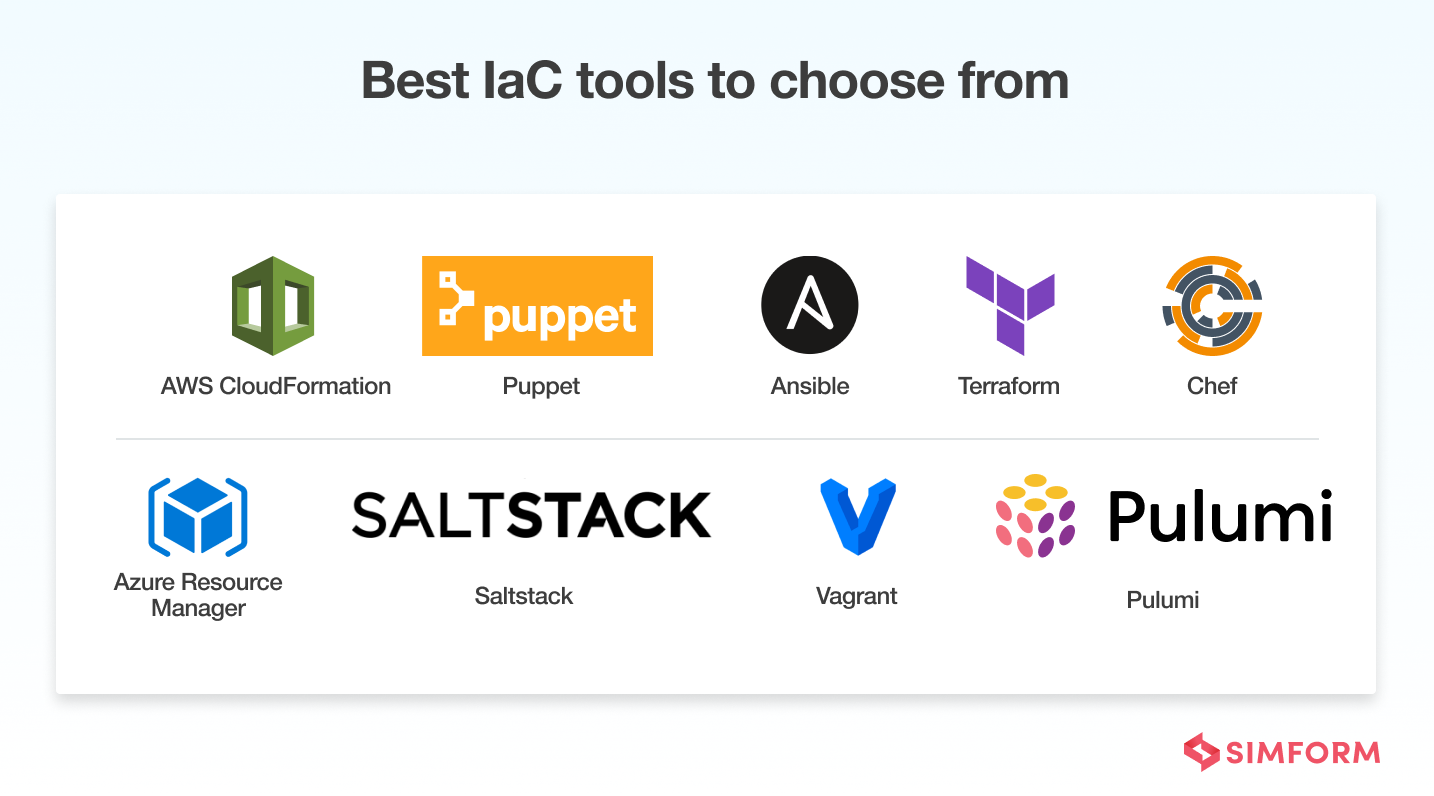
So, what tools bring all this to life? Let’s meet the rockstars of the IaC world:
 |
| Image Source: simform.com |
Terraform:
The undisputed champion of infrastructure automation. Terraform lets you define your infrastructure using a declarative language called HCL (HashiCorp Configuration Language). It supports multi-cloud environments and can manage everything — from VMs to databases to DNS zones.
Pro tip: Think of Terraform as the architect designing your digital city — it plans every building, road, and traffic light before breaking ground.
Ansible:
Where Terraform is the architect, Ansible is the hands-on craftsman. It automates configuration management, application deployment, and routine tasks using simple YAML playbooks. It’s perfect for provisioning servers or ensuring they stay in a consistent state.
Humorous aside: If Terraform designs the city, Ansible is the tireless handyman fixing everything from the light bulbs to the plumbing.
CloudFormation / ARM / Deployment Manager:
Every cloud provider offers its own IaC flavor — AWS CloudFormation, Azure Resource Manager, Google Cloud Deployment Manager. These are great if you’re fully committed to one cloud. But for multi-cloud flexibility, Terraform still reigns supreme.
...
Importance of Observability (Because Things Will Go Wrong).........................
Even the most elegant infrastructure will stumble at times. That’s why observability is so critical — it’s your window into the soul of your system. Without it, debugging issues is like trying to find a needle in a haystack… during a thunderstorm.
The Three Pillars of Observability:
- Metrics: Quantitative data like CPU usage, memory consumption, and response times.
- Logs: The raw text of what actually happened — invaluable for diagnosing issues.
- Traces: End-to-end visibility into how requests move through your system. Perfect for spotting latency and bottlenecks.
Tools like Prometheus, Grafana, Elasticsearch, and Jaeger help you collect, visualize, and interpret this data, giving you real-time insight into system health and performance.
...
Practical Example: Building a Scalable Web Application Using Terraform and Kubernetes
Let’s imagine a real-world scenario. You’re part of a growing startup, and your team has just built a slick new web application — the next big thing. It’s running perfectly on your local machines, but now comes the real test: deploying it to the cloud in a way that’s reliable, scalable, and automated.
Traditionally, this might have meant manually spinning up servers, configuring load balancers, copying application files, and praying nothing breaks in the process. But in the DevOps world, we replace that stress with code-driven automation. Here’s how it plays out when we combine Terraform and Kubernetes — two powerhouses that make infrastructure and deployment dance together seamlessly.
Step 1: Define the Infrastructure with Terraform
We start with Terraform, the architect of our digital environment. Instead of clicking through cloud dashboards, we define every component — virtual machines, networks, storage, and load balancers — using Terraform configuration files written in HCL (HashiCorp Configuration Language).
For example, you might write a Terraform file that defines an AWS VPC (Virtual Private Cloud), a few EC2 instances, and a load balancer to distribute traffic. Here’s a simplified conceptual snippet:
When you run terraform apply, Terraform connects to your cloud provider’s API and provisions everything automatically — no manual setup required. The configuration becomes a blueprint for your infrastructure, which means you can recreate it anywhere, anytime, in the exact same way.
The beauty of this approach: your infrastructure is now version-controlled, documented, and repeatable. If a server crashes or you need to replicate your environment for testing, you simply re-run your Terraform scripts — and voilà, a fresh setup appears.
Step 2: Deploy Kubernetes on Top
Once the infrastructure is up, it’s time to bring in Kubernetes, the maestro of container orchestration. Kubernetes takes your application, which you’ve packaged into Docker containers, and manages everything from deployment to scaling to recovery.
Terraform can even provision a Kubernetes cluster for you — whether on AWS EKS, Google GKE, or Azure AKS. After the cluster is up, you define your application deployment using Kubernetes manifests (YAML files).
For instance, your deployment file might look something like this:
This tells Kubernetes: “Hey, I need three replicas of this container running at all times.” Kubernetes ensures that’s always true — if one pod dies, it automatically spins up another. It’s like having an ever-vigilant system administrator who never sleeps.
Step 3: Automate Deployment and Scaling
Now that your app is live in the cluster, you can introduce automation pipelines to make deployments effortless. Tools like Jenkins, GitHub Actions, or GitLab CI/CD can be configured to trigger a new deployment whenever you push code changes.
When a developer merges a pull request, the CI/CD pipeline builds a new Docker image, pushes it to a registry (like Docker Hub or Amazon ECR), and updates the Kubernetes deployment — all automatically. Terraform ensures the underlying infrastructure is consistent, while Kubernetes ensures your application is running smoothly on top of it.
And because Kubernetes supports auto-scaling, your web app can respond dynamically to traffic spikes. If your app suddenly goes viral and a flood of users hits your servers, Kubernetes can scale up additional pods to handle the load — then gracefully scale back down when traffic normalizes. That’s the essence of modern scalability.
Step 4: Implement Monitoring and Observability
Once your system is humming along, the next essential step is observability. Even the best setup needs visibility to ensure everything’s healthy.
You can integrate tools like Prometheus and Grafana for metrics, Elasticsearch and Kibana for logs, and Jaeger for tracing requests through microservices. Terraform can even automate the setup of these observability components — ensuring they’re deployed and configured right alongside your infrastructure.
Imagine having a Grafana dashboard showing real-time CPU usage, network traffic, and application latency. If something goes wrong, you can pinpoint the problem in seconds instead of sifting through endless log files.
Step 5: Tear Down and Rebuild (Because You Can)
Here’s where Infrastructure as Code really shines. When your testing or development environment is no longer needed, you can simply run terraform destroy — and the entire stack (VMs, load balancers, security groups, everything) is safely torn down.
Need to replicate that same environment for another project or region? Just rerun the same Terraform scripts. It’s like having a “save game” button for your infrastructure.
Why This Workflow Matters??????????
This Terraform + Kubernetes combo isn’t just about convenience — it’s about control, consistency, and confidence. You gain the ability to:
- Reproduce complex environments instantly.
- Avoid configuration drift (where servers slowly become inconsistent).
- Scale effortlessly as user demand grows.
- Recover quickly from failures with minimal downtime.
- Keep developers and ops in sync through code, not guesswork.
Common Pitfalls (and How to Dodge Them Like a Pro) -
Even with great tools, things can go sideways. Here are a few traps to avoid:
- Over-Engineering: Don’t build a spaceship when you just need a car. Start small, test, and scale gradually.
- Neglecting Version Control: Infrastructure without Git is like driving blindfolded — you’ll crash eventually.
- Ignoring Security: Automate security from day one. Enforce least privilege, encrypt sensitive data, and scan regularly.
- Skipping Documentation: Automation is wonderful, but humans still need to understand what’s going on. Write it down.
Ready to Take the Leap?
DevOps infrastructure isn’t a one-time project — it’s an evolving practice. It’s about continuous learning, experimentation, and collaboration across teams.
The payoff? Faster releases, fewer outages, more sleep, and happier developers. You’ll spend less time firefighting and more time building cool things.
If you’re ready to dive deeper, check out these must-read resources:
Your Turn: What’s been your biggest challenge in managing infrastructure — automation, scaling, or maybe wrangling YAML files that refuse to behave? Drop your thoughts in the comments below! Let’s swap war stories and learn from each other. Connect with me:
No comments:
Post a Comment